_edited.png)
Why Is My Business Not Showing Up on Google?
The most common reason a small business doesn't show up on Google is simple: you don't have a Google Business Profile, or you have one that isn't verified yet. That free profile is what puts you on Google Search and Google Maps with your hours, location, phone, and reviews — and until it exists and is verified, Google often has nothing local to show for you. The good news is this is one of the most fixable problems in all of small business marketing, and it costs nothing but a little time.
Here's why it happens and exactly how to fix it, using Google's own official steps.

Reason 1: You don't have a Business Profile yet
If you've never set one up, Google has no verified local listing to display. Creating one is free. Per Google's official help, you add your Business Profile at business.google.com/add, enter your business details following the prompts, and then choose a verification method. If a listing already exists but isn't yours yet, you can claim it from Google Maps.
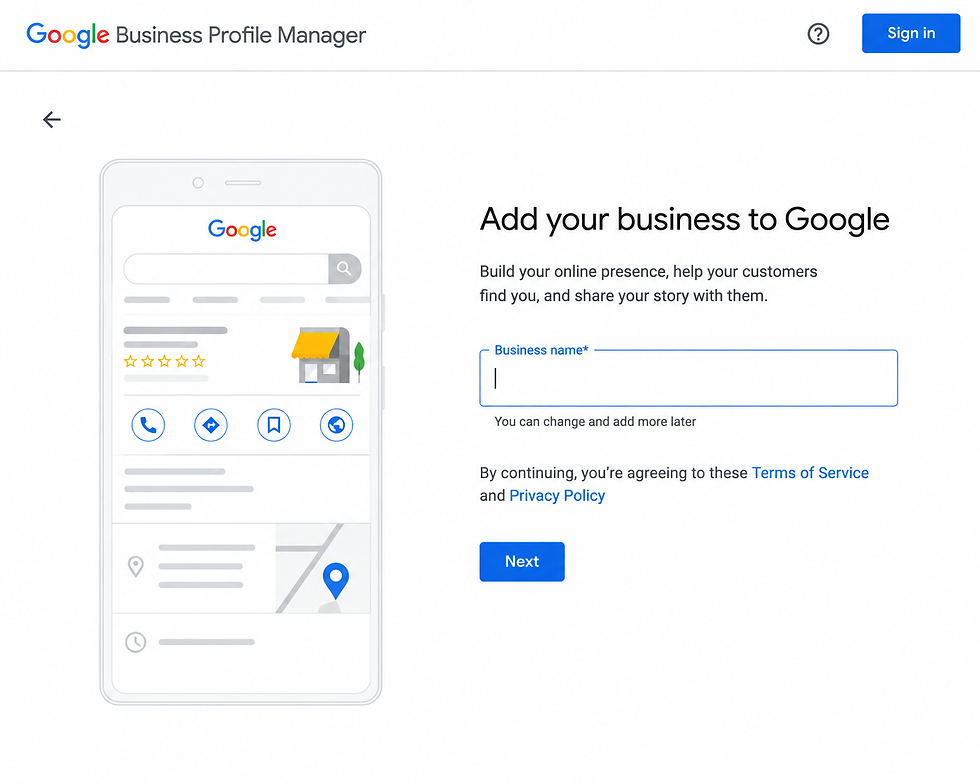
Reason 2: Your profile isn't verified
An unverified profile usually won't show normally in Search and Maps. Verification is Google's way of confirming the business is really yours. Google's help explains the verification steps: find your business, choose a verification method (which may include video, phone/SMS, email, or a mailed postcard), then wait for Google's review — which can take up to a few business days.
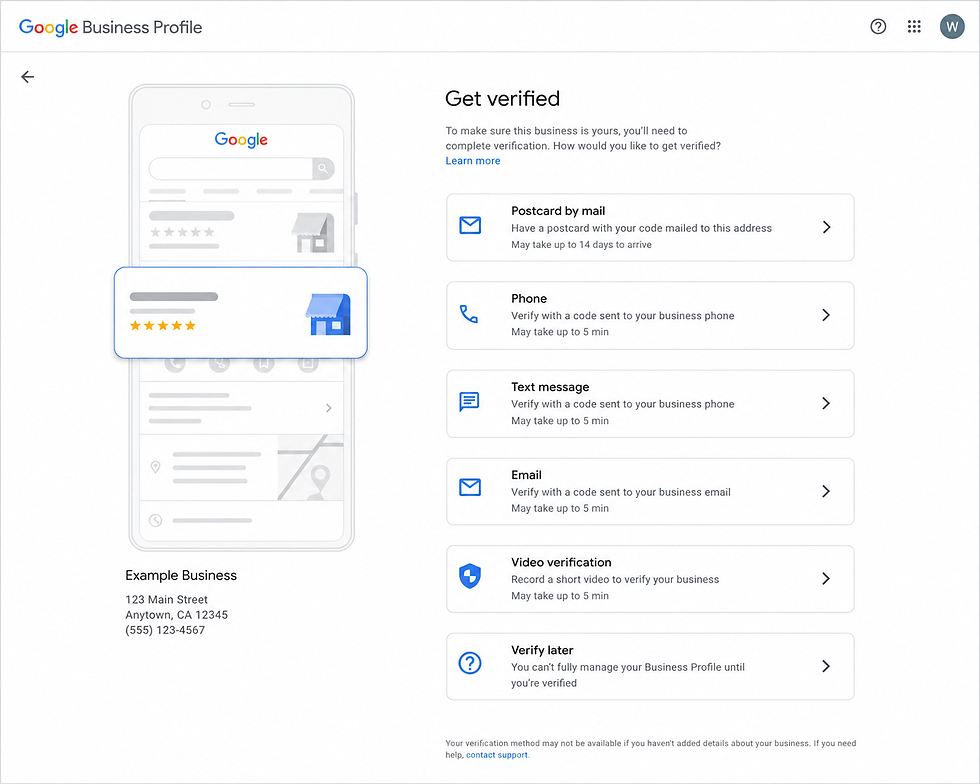
Reason 3: Your info is incomplete or inconsistent
Even a verified profile can underperform if it's thin. Fill it out completely — accurate name, address, phone, hours, categories, and photos — and make sure your business name, address, and phone match what's on your website and other listings. Google favors profiles that are complete, accurate, and consistent.

Reason 4: You're brand new (give it a little time)
Right after you create and verify a profile, it can take a short while to appear consistently while Google processes it. If you've done the steps correctly, some patience is part of the process — but if days pass with nothing, re-check that verification actually completed.
Why the details still trip people up
Setting up a Google Business Profile is genuinely doable yourself — but doing it right (the correct category, complete info, consistent details, and steady reviews) is what makes you actually rank against competitors. Knowing you need the profile is the easy part. Optimizing it so you show up and get chosen is the work, and it's exactly what the course helps you do.
Frequently asked questions
Is a Google Business Profile free?
Yes, completely free to create, verify, and manage. Be cautious of anyone charging you just to set one up.
How long until I show up after verifying?
Often fairly quickly, but it can take a few days for Google to process and display everything. Make sure verification fully completed if you're not appearing.
Why do competitors show up and I don't?
Usually they have a complete, verified, active profile with reviews, and you don't yet — or your details are inconsistent across the web. Closing that gap is the fix.
Do I still need a website if I have a Business Profile?
They work best together. The profile helps you get found locally; a website is the home base you own and where many customers go to decide. Most businesses want both.
Want to actually rank, not just appear?
This article covered the what and the why. The Quicke Business Collective's Business Starter Program walks you through the how — setting up and optimizing your Google presence so local customers find and choose you, step by step.

Questions?
Email info@quickemarketing.com ·


Comments